Tutorials

Create your own designer logo font

tut_ai_designer-font.jpg
In this tutorial at Mákeeda, we are going to talk about how to break apart a font into vector bits that we can manipulate to create our own logo font. This is a great way to add your style to a font or to make your own!

tut_ps-clone-source-video.jpg
Russell Brown has a great video tutorial showing you how to create a life-like mirror image using Photoshop's built-in clone source tools that goes a bit beyond just flipping the image and adjusting opacity.

Great Illustrator tutorials at Vectortuts

tut_vectortuts.pngLike it's Photoshop counterpart PSDTuts, Vectortuts offers easy-to-follow, professional, and useful tutorials for creating spectacular vector art with Adobe Illustrator.

I love PSDtuts, and Vectortuts is already on my daily visit list. The quality of the tutorials are superb.

Learn Photoshop's Color Replacement Tool

tut_ps-color-replacement-tool.jpg
As you may recall if you're a long-time reader (going back to the CreativeGuy blog days in 2005), I posted an article titled Color shifting and replacement in Photoshop covering the easiest way to change the color of objects in your image. It's an excellent and simple overview, which I re-posted here at TGM late last year.

Veerle also covered the tool in this blog post in 2006.

Well here we are in 2008, and video is all the rage these days, so here's the same color replacement tip in a video post over at Sebastian Sulinski's Design site.

This tool is often overlooked by most designers - though professional photographers are most like as attached to it as they are their favorite lens. Play around with it for a while, I think you'll begin to see how powerful the tool can be in no time.

Tilt-shift photography Photoshop tutorial

tut_ps-tilt-shift-photography.jpg
One of my favorite effects for an image is the tilt-shift effect. It makes an ordinary image appear as though it is a miniature model, as the photo of Times Square in NY above shows.

Tilt-Shift Photography has a great tutorial to show you how to turn your image into a tilt-shift masterpiece, using just the tools built-in to Photoshop. Keep in mind that you want to give the impression of a miniature model. Miniature models are usually viewed from above so try and choose a photo with an elevated viewpoint.

Create a rotatable globe in Illustrator

Rotating globe tutorial

Chris over at Blog.SpoonGraphics has posted a great little tutorial on how to create a rotatable globe in Illustrator using the 3D tools Adobe built-in to Illustrator.

The tutorial yields great results. But let's face it, how often do you need to create a globe? OK, you're right, not often. But take what you learn and apply it to other objects that fit within your design ideas.

tut_ps-tutorials-effects.jpg

Noupe has a list of 53 truly inspirational Photoshop and Illustrator effects that will surely soak-up hours of your time.

While many in the list are tutorials, some are links to other designer's portfolio of work, such as SugarRhyme.

While you're browsing the list, make sure you bookmark Noupe, as it's a great resource for Web developers and designers.

There are many ways to convert an image from color to black & white in Adobe Photoshop. I've posted tips before about this, but with Photoshop CS3, there's a dead-simple way to do it that produces great results, and offers you the ability to fine-tune your conversion.

black and white photo conversion

Instead of simply selecting Image>Grayscale to convert your image to B&W, select Image>Adjustments>Black&White (Command + Option + Shift + B for you keyboard shortcut junkies).

In the resulting Black and White conversion dialog box, you'll be presented with the opportunity to adjust various colors in the conversion process. If you're familiar with how this works, you can adjust how each color in your image converts to gray. If that's a little more work than you wish to do, you can simply click on the image and move your cursor around to have Photoshop automatically adjust your image based on the sampled color.

As you can see in the image above, the normal Convert to Grayscale method produces a flat and quite dull image. Though this may work for some images, using the Black and White Adjustment allows you to to fine-tune your conversion to give you more contrast and retain more details in the image.

Creating chrome text in Photoshop

Metal text effectOne of the more popular text effects to use in Adobe Photoshop is chrome text. You can search for hours to find the perfect Layer Style to make your job easy, but you may never find it.

Instead, try this Metal Text Tutorial over at PSGallery.co.uk. The tutorial is easy to follow and can produce fantastic results with a little experimentation. From personal experience, I've found that your results will vary widely depending on the font you choose to use. Some areas to play with are the bevel settings and variations. While the tutorial does give you exact settings to use, you will most likely find that they don't produce the desired effect on all fonts. Play around with them to get it to look the way you want.

Creating a digital curtain in Photoshop

tut_tgm-curtain.jpg

It's getting harder and harder to find useful tutorials in Photoshop. Sure, there are plenty of cool effects out there, but how many are actually useful in day-to-day work?

Today I have one of those rare tutorials that will show you something you can use. A Minor Studios shows you how to create a glowing curtain in Photoshop.

As seen in the image above, the effect can be used to create some nice background effects for your next project. But the best part is that it takes just a few seconds to create, using basically two filters and a few layer adjustments. The effect is easily customizable to your needs, too.

tut_ps-facial-retouching.jpg

PSDTuts has a spectacular tutorial titled Super Fast and Easy Facial Retouching. There are plenty of these tuts floating around, but this one is particularly easy and highly adaptable. Plus, it includes a link to a downloadable preset for Photoshop's Curves dialog box that produces stunning color adjustment with little to no work on your end.

Using the Spot Healing Brush in Photoshop

Matt Kloskowski over at Layers Magazine offers some insight on how to use the Spot Healing Brush in Adobe Photoshop and maintain flexibility by healing one layer onto a separate layer in this Flash-based video.

The Spot Healing Brush is much underused in my opinion. Too often, designers jump right to the cloning tool without even thinking of this little gem.

How to add photorealistic perspective to your design

photorealistic perspective

Sometimes, flat just doesn’t cut it, and we need to find other, more attractive ways to present designs to our customers. One technique I’ve been using recently works remarkably well for text, logos and other vector artwork. It consists of taking a virtual photograph of the work by combining Adobe Illustrator and Photoshop filters. The dramatic end result can’t be distinguished from a real photograph.

This tutorial from FontShop starts you out in Adobe Illustrator and finishes off with some adjustments in Adobe Photoshop using a few built-in filters. It's quite easy, and produces dramatic results, as seen in the image above.

How to get custom CSS signatures in OSX Mail

CSS Signatures in Mail
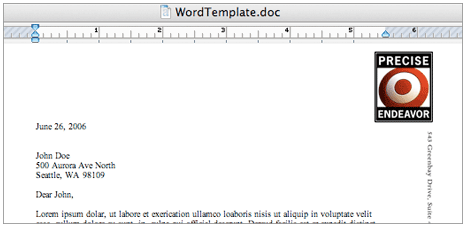
If you like having a signature sent with all your emails and you use OSX's Mail application, this tutorial is for you.

AllForces has put together a great tutorial on how to create and use CSS in your Mail signatures. All that is required is an image you wish to use, Safari and Mail.

Stuff on the Web

Who owns what?
With all the Yahoo! takeover talk going around, I went about to find out just how many things would get screwed up if Microsoft ended up buying Yahoo!. Amy Webb has a nifty PDF chart to break down who owns what toys in the Web sandbox.

Who is your Internet neighbor?
myIPneighbors - search
For those on shared hosting, myIPneighbors IP search is a great way to find out if your Web site is packed into a crowded host with hundreds of other sites, and who those sites are.

DIY digital photography
Digital camera lovers, here’s a little DIY fun for the weekend. It’s a video tutorial of how to make an image stabilizer to reduce camera shake. All you need is some string, a bolt and a washer (or some other small weight).

Electric Photoshop
Add some electrifying energy beams to your subject with this great Photoshop tutorial at Luxa.org.

Free online Faxing
Every once in a great while you may find yourself needing to send a quick Fax, you remember those, right? If you don't have a fax machine, you'll have to run down to the nearest copy shop and pay for it... or, you can just use FaxZero. FaxZero will allow you to send a paper fax from your PDF or text document to any fax number in the U.S. or Canada for free (of course, they add an advertisement on the cover sheet).