Save your sanity, use CMYK Preview in Photoshop
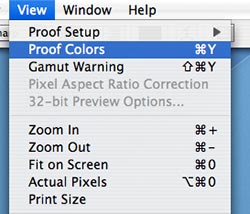 I’m always amazed to see some print designers working in the RGB color space. It’s like a mechanic working on a car in the dark, you just don’t know what you’ll get when he’s done. Many filters and some color correction features only work in the RGB color space, but that doesn’t mean you have to “fly blind.” Try hitting Command + Y or select View>Proof Colors from the menu bar to see what your image will look like when converted to CMYK using your particular color settings. Many times, it will drastically alter your expectations and the results of your color edits. It will also allow you to continue using those filters and edits for color – and still know what you’ll get when you’re all done.