
The iMac 27″ for graphic designers: part 2
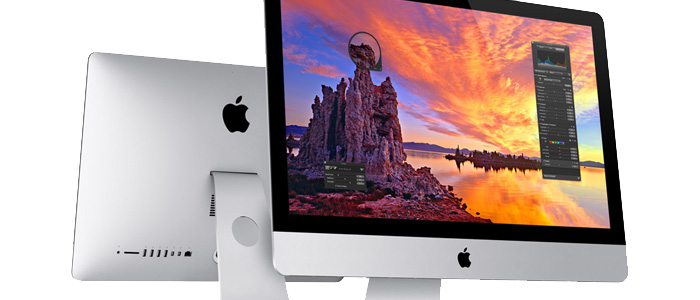
In part one of The iMac 27″ for graphic designers, I covered the reasons for choosing the late 2012 iMac 27” to replace my 2006 Mac Pro. As a graphic designer who works in Adobe Creative Suite apps all day long, with file sizes pushing the 1GB range, power is important. But as I found out with my MacBook Air, the Mac Pro just isn’t necessary anymore. Not only does the iMac have all the power you need, but it’s a much more elegant hardware solution, and significantly easier on the pocketbook. I also listed some of the pros and cons of the iMac.
Now I’m going to talk a bit about my experience actually using the iMac for the last two months.
At first, the 27” iMac was a difficult transition as far as the screen size goes. I’ve been using a 30” LCD for quite a few years, so I not only lost the 160 pixels of height, but the physical dimensions of the 30” screen is larger. The 27” iMac just looks tiny sitting next to my old screen. The reality is that the iMac as plenty of screen real estate for all but the most app-crazy user—those who like to have Mail, Tweetbot, Safari and iTunes all open and visible at the same time.
Between the powerful processors, and the speedy SSD storage drives, the iMac offers more than enough juice to run the typical stable of design-related applications, such as: Adobe Photoshop, InDesign, Illustrator, Acrobat, etc. Along with those apps, I typically have Extensis Suitcase Fusion, Pixa, Apple Mail, Messages, Reminders, and Safari open. And finally, utilities such as Dropbox, aText, CopyLess, Evernote, Pocket, and Transmit are generally always open because they’re either background apps that live in the menubar, or small apps that take little resources to keep open. And of course, iTunes is almost always blasting music, or playing a podcast.

With all that running, the iMac still performs tasks at a speed that is not only acceptable, but impressive.
While Photoshop runs much speedier than it did on my 2006 Mac Pro, InDesign is the CS app that shows the most improvement. Scrolling documents with numerous images and vector art placed on each page is quite fluid now, showing no signs of the stuttering I experienced on the Mac Pro.
Saving enormous Photoshop files is fast, though it probably seems faster to me now that Photoshop can save files in the background while I switch to another app to continue working on something else.
Illustrator is also improved in virtually all areas, though I don’t use it often enough to say if it’s a great improvement.
Bridge (which I use much less often, now that I’ve found Pixa), runs really well. Folders with hundreds of high resolution images loads up quickly, and scrolling and zooming is fluid.
Unfortunately, Adobe still hasn’t implemented Full Screen support in the Creative Suite apps. When Apple introduced it I was skeptical, but now I love working in Full Screen mode. The iMac performs admirably while switching between Spaces—whether I’m swiping on the Magic Pad or hitting Control + Arrow keys to switch. Mission Control comes up instantly as well.
One app that always seemed to chug along at a snail’s pace on my Mac Pro is Apple’s iPhoto. I actually began splitting up my iPhoto libraries by year to speed up the thumbnail drawing process. With the iMac, I have several year’s worth of photos in a single library and it still opens and is ready to start viewing photos in a matter of seconds.

Overall, I’m quite impressed with the iMac as my main work Mac. While I still do a little work on the road using my MacBook Air, I’m finding myself making an effort to do it less often, so I can spend more time on the iMac.
If you’re due for a hardware upgrade, and you want a desktop Mac, I highly recommend the 27” iMac. The Mac Pro is a fantastic machine, and when Apple releases the new models later this year, they’re probably going to blow away the iMac in the speed and expansion departments. But the reality is that they’re still going to be more expensive than the iMac, and you’ll still have to bring your own LCD screen on top of that. Unless you’re doing high-end video/audio work and require massive amounts of internal storage, you simply can’t justify the price compared to the very capable iMac.