
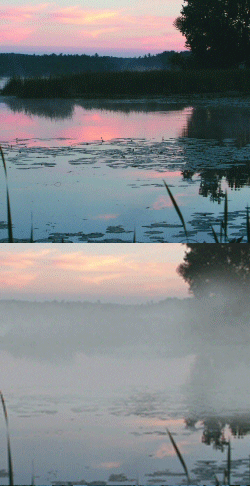
 Get more bang for your buck by depositing a fog bank into your landscape photos using the Dissolve brush mode and the Gradient tool to vary density. Fog is actually transparent unless you try to look through layers and layers of it. Then it becomes dense, and in some places, impenetrable.
The secret to realistic fog is to vary its density…
David Diotaveli offers a pretty decent tutorial on how to add realistic fog to your images.