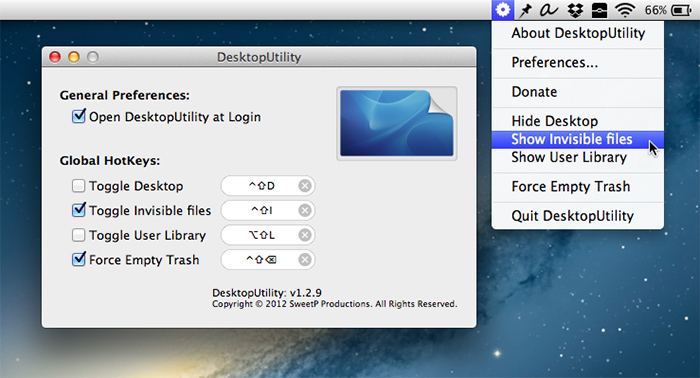
Hide your desktop, toggle file visibility, show the User Library (10.7+) or force empty the trash, easily and conveniently from the system menu bar with this free Desktop Utility (Direct download) from SweetP Productions.

Hide your desktop, toggle file visibility, show the User Library (10.7+) or force empty the trash, easily and conveniently from the system menu bar with this free Desktop Utility (Direct download) from SweetP Productions.
Let’s say you want to hide a folder in your Documents folder called “MyStuff.” You can do it simply by launching the Terminal (found in your Utilities folder inside Applications) and typing the following:
chflags hidden ~/Documents/MyStuff
Once your MyStuff folder is hidden, it will not appear in the Finder, but it will still be accessible via the Finder’s Go>Go to Folder (Command + Shift + G) and typing in the path to the folder.
To unhide your MyStuff folder, simply type the following:
chflags nohidden ~/Documents/MyStuff
If using the Terminal isn’t your thing, you can download Hideaway, which does the same thing, only you just click a few buttons instead of typing code into the Terminal.
The Graphic Mac
Connect with me on:
• Facebook
• Twitter
• Instagram
• Pinterest