Mac Apps

James's picture

Giant list of OSX menubar items

OSX Menubar items

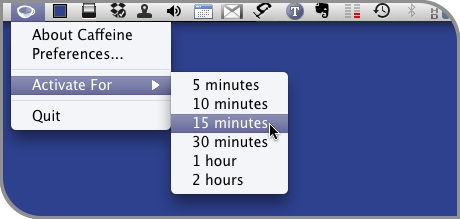
Some of the easiest and most useful things you can add to OSX are Menubar items; little applications that live in the menubar across the top of your screen. App launchers, notifiers, Web & RSS trackers, shortcuts to system functions and more are just some of the things available to you.

I came across this list of Super Menubar Items the other day and thought it worth linking to. The list is categorized for easy searching and includes the menubar icon, description, link to the site, and cost (most are free). I'm not sure how old the list is, nor have I tried every item on it, so some may work with Leopard, some only with Tiger. But it's definitely worth checking out if you're looking for ways to save time and screen real estate.

James's picture

Adobe discontinues GoLive - big shock (not)

As most of us had guessed a few years ago, Adobe has finally killed off GoLive in favor of Dreamweaver.

For many professional Web designers, this is really no news. But for thousands upon thousands of "one or two small sites per year" designers, this is horrible. If you learned using GoLive, the switch to Dreamweaver for those one or two sites per year you design will be a huge uphill battle. I recently tried to build a 3 page site and couldn't even immediately see how to code a rollover navigation. Dreamweaver is absolutely NOTHING like GoLive.

James's picture

Phantasm CS rocks Adobe Illustrator

When we talk about plugins, you generally assume we're talking about Photoshop add-ons. Most people don't even realize that you can add features to Adobe Illustrator using plugins, let alone name a good one.

Phantasm CSPhantasm CS Studio 1.0 by Astute Graphics is not only one of those good ones, but it's a whole suite of good ones. Where most plugins have the goal of creating artwork for you, Phantasm CS is more of a production tool in that it's main set of tools involves the ability to adjust colors by Brightness/Contrast, Hue/Saturation, Curves, Levels and more. But Phantasm CS doesn't completely leave you out in the cold when it comes to cool "design" features. The Halftone tools is uber-cool if you ask me, but I'll get into that later.

James's picture

Download Web sites to your computer with BlueCrab

aps_bluecrab.jpg

Blue Crab is a versatile program that you use to copy the contents of a website to your computer, in whole or in part, conduct fast offline browsing and searching without an internet connection, create a snapshot of a website for historical archiving, collect specific types of resources such as images or email addresses, search current content more thoroughly than a search engine right on your own computer and check a site for broken links, or generate an HTML site map.

This is perfect for Web designers and developers looking to learn how other sites are built, or to archive sites you want to view and store locally.

  • Conduct fast offline browsing and searching without an internet connection.

  • Create a snapshot of a web site for historical archiving.
  • Collect specific types of resources such as images or email addresses.
  • Search current content more thoroughly than a search engine right on your own computer.
  • Check a site for broken links, or generate an HTML site map.
  • Perform batch downloads of URL's.
  • Create full page images of URL's (JPEG, BMP, TIFF, PNG, PSD, etc.).

With Blue Crab you can download all the content including HTML, PDF, graphics, video, file archives, etc., or use selective filtering to restrict downloads to specific kinds of files. For example, you can choose to save only the JPEG images Blue Crab finds, or just the PDF's.

BlueCrab ($25) works on OSX 10.4 or higher and is a Universal Binary application.

James's picture

Make Firefox's location bar act like Safari

aps_firefox-dock.jpg

Firefox has been my browser of choice for a long time now, for a variety of reasons. However, it ain't perfect. One of the little things that bothers me is that by default, when you click in the location bar, the entire URL is automatically selected. I would prefer it to just place the cursor where I click. Thankfully, Firefox is quite flexible and there's an easy way to change the default.

  1. Type about:config in the location bar
  2. Enter clickSelects in the Filter bar
  3. Double-click the item row that says browser.urlbar.clickSelectsAll

Double-clicking the item should set the default to false. From this point forward, a single click in the location bar will simply place the cursor. If you want to select the entire URL, you can either triple-click the text in location bar, or double click on the Favicon.

Something I love about Safari is its location bar doing double duty as the progress meter. By default, Firefox has a separate item in the toolbar to show page load progress. This isn't completely accurate, because it doesn't really show progress, just that it's doing something.

To force Firefox to use the location bar as a true progress meter as well, download the Firefox extension, Fission.

James's picture

Force Safari to use one window only

SafariOne of the things that has kept me using Firefox over the last few years is Safari's insistence on opening links in new windows, rather than a new tab in the current window. It drives me nuts. I hate having multiple windows open.

Thankfully, the latest version of Safari (3.1) has a hidden feature that forces all links to open in a new tab, rather than a new window — even the stubborn sites like Google and Gmail finally stay in a single window.

All you have to do is open Terminal from your Applications/Utilities folder and enter the following:

defaults write com.apple.Safari TargetedClicksCreateTabs -bool true

Hit the enter key and you're all set.

James's picture

Tunebar adds iTunes goodness to your desktop

One of the things I loved about SoundJam, the original iTunes app before Apple bought it, was the ability to download customizable themes that took up little space on my screen. One of my favorites was one that was a slim bar that sat just below the Apple menu bar. It took up little space, and added all the basic controls needed.

James's picture

Take notes: Paperclip 1.3

Paperclip

From Concentrate Software recently released Paperclip 1.3, the latest version of their notes utility for Mac OS X Leopard. Paperclip isn't just any notes application, it allows users to attach persistent, stickies-style notes to any document.

Paperclip's notes offer full text support. You can change the font and format, drag and drop images, movies, and other media, even insert images. Since Paperclip's notes are document-specific, they will always be available whenever you edit annotated files. Paperclip also provides an attractive Note Viewer that lets you view, search, edit, and manage all of your notes.

Paperclip 1.3 is available for $14.95 USD. Registered 1.x customers may upgrade for free. A full featured, Leopard only demo is available for download.

I love the idea of this application, though I must admit that most of the applications I use (Photoshop, InDesign, MS Word, etc..) already have a built-in notes feature. Still, for many users, this could be a very handy utility.

James's picture

Hiding icons and windows for screenshots

If you run a Web site, create training manuals or do something that requires you to take and use screenshots a lot, one thing you probably find yourself doing is hiding certain windows and moving icons on your desktop out of the way. It's a royal pain in the behind.

James's picture

Some cool software for the shareware lover

Compress FilesCompress Files '08
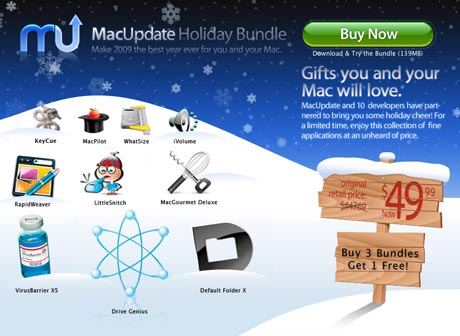
Apimac announced today the release of Compress Files, their compression tool for Mac OS X that enable Mac users to create Zip compressed and encrypted files; XAR archive files, 7zip and 7zip crypted archives, TAR archives; Gzip compressed archives; Bzip2 compressed archives and compressed and encrypted disk images.

James's picture

Paperclip: Sticky notes for your files

PaperclipFrom Concentrate Software has announced Paperclip 1.2, the latest version of their stickies-style notes utility for Mac OS X Leopard. Paperclip allows users to attach notes to documents. Version 1.2 improves Paperclip by adding in-note drawing through Acorn as well as the frequently request ability to easily email notes with documents.

Paperclip 1.2 is available for only $14.95 USD. Registered 1.x customers may upgrade for free. A full featured, Leopard only demo is available for download.

James's picture

Last big RSS reader goes free

RSS

In the last few months, we've had the "big three" RSS news readers for the Mac switch from paid to free. First it was endo by Infinite-sushi, maker of the popular blog editing application ecto. Then NetNewsWire, the king of the hill news reader on the Mac for years recently acquired by NewsGator, decided to make the leap to free. Though with NetNewsWire, at least NewsGator still has a revenue stream available to support the app.

James's picture

Freeway 5 Public Beta Released

Softpress Systems has released the third public beta of Freeway 5, the award-winning HTML generator. With a traditional page layout approach, Freeway makes it easy to create dynamic websites without the need to write code.

longside Freeway's traditional features (Master Pages, Freeway Shop and hundreds of other powerful time-saving features), Freeway 5 has a wide-range of new functionality including:

  • CSS menus - create amazing, high-speed dropdown or fly-out navigation schemes in minutes.
  • Personalized Blogger templates.
  • A suite of Google Actions to allow users to add Google content effortlessly.
  • Script.aculo.us Actions - a range of sensational dynamic effects: fade, blind, pulsate and more.
  • Accessibility provisions, including reports and views to ensure your target audience gets exactly what they need.
  • Many other new features and improvements, including sliced background images, background effects, new graphic effects, nested HTML lists, Save Archive, iPhoto import, color labeling, and more.

The free beta can be downloaded from the Softpress Systems website.

James's picture

Adobe IllustratorZevrix Solutions announced the release of ArtOptimizer 2.0, its comprehensive solution for reducing the size of images linked to Adobe Illustrator document automatically. Similar to LinkOptimizer, the Zevrix flagship product for InDesign, ArtOptimizer saves hours of production time, gigabytes of disk space and reduces production costs by eliminating excessive image data.

How does ArtOptimizer work?

ArtOptimizer will automatically reduce the image resolution and resize the images in Photoshop according to their dimensions in the Illustrator document and the target resolution specified, and reimport them to Illustrator at 100%.

ArtOptimizer lets you backup original images linked to Illustrator document before the processing as well.

In addition, ArtOptimizer can convert image colors to CMYK, RGB or Grayscale, apply sharpening filters during processing and flatten images.

The new version is compatible with Mac OS X Leopard and Adobe CS3, allows users to run Photoshop Actions and adjust layer merging options.

James's picture

Chumby

Wake up to your Internet life
Chumby is a small Internet appliance disguised as an alarm clock. The $179 Chumby shows you (on a 3.5 inch LCD screen) sports scores, photos (via Flickr, MySpace, Facebook, etc.), videos via YouTube and others, and offers Internet Radio stations and access to the Chumby Network. All that is required is a wireless router and a computer (probably for setup purposes).

I suppose you could make the argument that the iPod Touch could do most of this, but this device is pretty cool on its own.

LightScribe 1.2 And the Colour Revolution
LightScribe is a technology that allows you to burn a CD or DVD, and have a label printed onto its label side using a laser to engrave whatever design you created in the label layer on the CD/DVD.

The LightScribe technology requires a specially designed LightScribe DVD-writer with a laser that is capable of both burning DVDs and engraving at lower power. A couple of weeks ago Verbatim released the first colored LightScribe 1.2.x discs. Besides the gold colored discs, you can now “Lightscribe” onto red, orange, green, yellow and blue-green media.

Apple's Preview App
If you're simply looking to resize a photo, look no further than Apple's Preview application.

Aperture for iPhoto users
If you're thinking of moving up from iPhoto to something a bit more "pro" in its features, take a look at Aperture 2 impressions from an iPhoto user.

Ipsum everywhere
Lorem Ipsum is the "greek text" designers have been dropping into layouts for years. Many programs have it built-in. But for those that don't, or want more control over the Ipsum text, take a look at It's All Greek To Me over at the AppleBlog. The article covers over 15 Lorem Ipsum apps and resources.