2011 was just too much sharing for my taste
There were lots of great things happening in tech this year, too many to talk about here. But I have put together a list of things that managed to annoy me to no end.

2011 was just too much sharing for my taste
There were lots of great things happening in tech this year, too many to talk about here. But I have put together a list of things that managed to annoy me to no end.
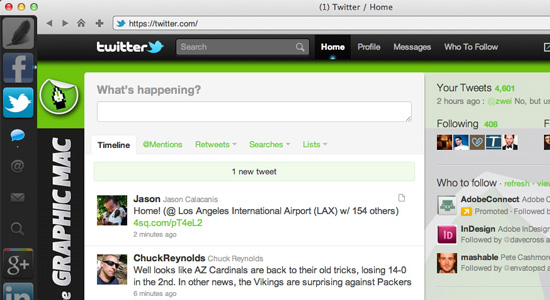
Raven is a site-specific web browser that allows you to be more productive by creating a dedicated browsing instance for each one of your web apps, such as Google+, Facebook, Twitter, CNN, YouTube, and many more.

Raven offers site-specific browsing, putting the features of the
sites you interact with the most easy to access and use
Raven is not a standard web browser to replace Safari, Chrome or Firefox, though you easily could if you wished. Instead it focuses on improving the experience on the sites you interact with the most. For instance, clicking on the Twitter icon in the left sidebar slides open the controls for Tweets, DMs, @Replies and Search for easy access. The controls available depend on what each site offers.
Think of Raven as the Mac OS X Twitter app, only for a plethora of social and news sites. Raven offers bookmarking to Instapaper, a smart bar, history, and even a toolbar icon that loads the mobile version of the site right in the Raven browser window – so you can view the site just as you would on your iPhone.
Some of the sites that take advantage of Raven’s site-specific browsing are: Twitter, Facebook, Google+, YouTube, MySpace, Quora, Linkedin, Digg, TechCrunch, Daring Fireball, CNN, New York Times, AllThingsD, The Next Web, Dribble, Instapaper, Dropbox, Hulu Plus, Flickr, Vimeo, and more.
Raven isn’t for everyone, but it’s definitely a cool piece of technology worth checking out.

Stop complaining about your privacy on social networks and just think about what you post before you post it. What you share is up to YOU!
With the recently-released Ticker on the newsfeed page and the yet-to-be-released Timeline update to your Profile page, people are barking at the moon that their status updates are now out there for the world to see; thus invading their privacy. Well uh, I hate to tell you this but, THEY ALWAYS WERE. And isn’t that the whole point of a SOCIAL network?
First of all, the new Profile page (see image below) will take some getting used to. In order to take advantage of what it has to offer, you’ll most likely want to add some additional information. I say want to, because if you’re like most people, you probably like playing with new toys.
The new Timeline Profile view offers viewers an easy way to scroll down through your life on Facebook much more easily – via the Timeline bar on the upper right of the page. Want to see what your friend was up to in 2002? Easy, just click the 2002 date in the Timeline bar and you’re zoomed right into place in their Timeline.
The uproar is that it supposedly “invades your privacy” because it puts all your posts in plain view for everyone to see. Well, I’m here to remind you that this has always been the case. It’s just a little easier to find now.
If you use your iPhone to upload photos you take on the go to your Facebook account, you may be annoyed that Facebook automatically created an album called “Mobile Uploads” and places the photo there.
If you’re like me, you’d rather place them in your carefully crafted custom Albums, like “family” or “friends” – and there is a way to do it.

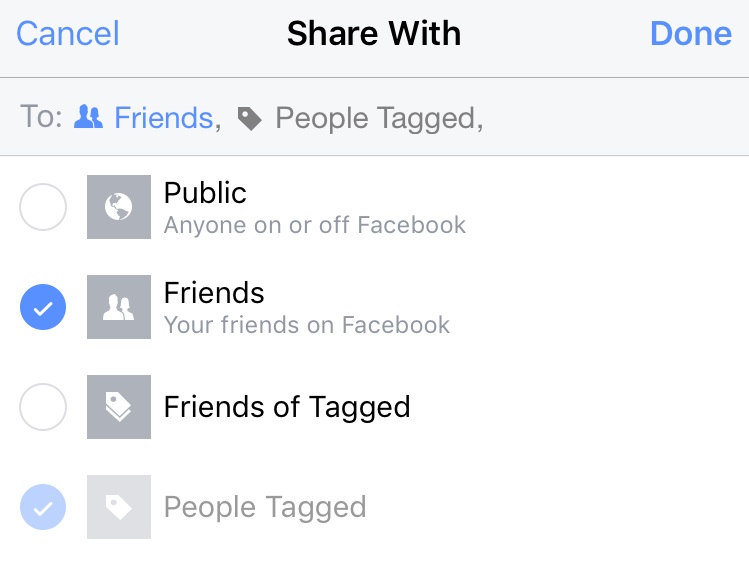
Uploading a photo to your preferred Album from the iPhone Facebook
app isn't as easy as it should be - but there is a workaround
Your photo will now appear in the Album you chose in the first step. I’m not sure why Facebook doesn’t make it easier to choose your preferred Album, but this workaround does the trick.
This past Friday night, Facebook pushed out a new update to the service which allows any developer to gain access to your contact info, including home address and cell phone number. They announced this after business hours, most likely so the vast majority of tech-savvy media outlets were home for the weekend.
I never entered my home address or phone number in my Facebook profile, but if you did, I would recommend you delete the info now before developers intent on spamming your phone and home mail box get a hold of it.
In Facebook’s defense, they DO ask you when an app requests this info. But Facebook also knows darn well that the average user isn’t going to understand what it means or how to deal with it. The fact that they announced this on their developer blog late on a Friday night just goes to show you that they know it’s sneaky and you probably wouldn’t agree to it if they put it right on your profile page as an announcement.
The intent of this is feature, I’m sure, is to allow you to log-in to other sites using your Facebook account and when you purchase something, you won’t have to enter that private information manually. But I don’t buy it. Not only does every browser on the market already have a basic auto-fill function, but there are numerous extensions and plugins that also accomplish this – such as 1Password.
The most hated companies in America
The list (in no particular order) features four technology companies:
For the record, I would add AOL, Google, Verizon, Samsung, and a host of others to the list.